IT, Scala, Java, Web, Ubuntu

Author: Kevin (Page 9 of 14)

Enabling Visual Effects in Ubuntu

Somebody asked a question regarding my video on youtube.
http://www.youtube.com/watch?v=TOp83ByFrMA

Unfortunately I don’t really have time to explain the details nor am I sure if Ubuntu supports his/her graphics card so I’m putting here some information which can be a starting point to get what he/she wants.

To enable some basic visual effects, select the ‘Appearance’ menu.
-System -> Preferences -> Appearance
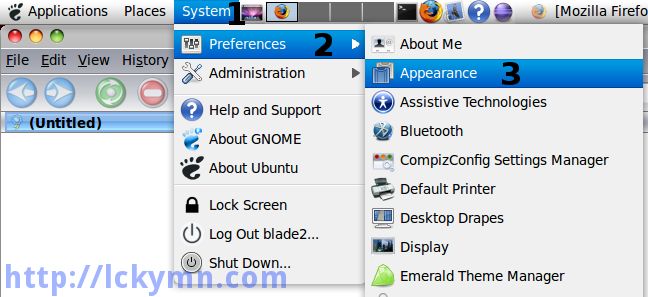
System -> Preferences -> Appearance

-Select the ‘Visual Effects’ tab -> Select the ‘Extra’ effect -> Click the ‘Close’ button.
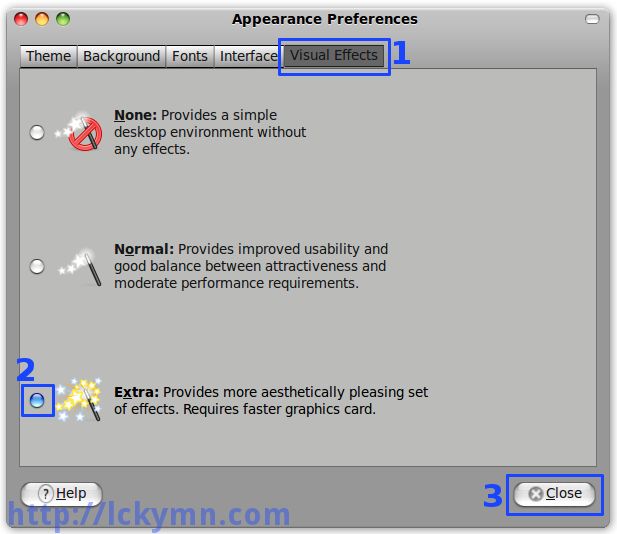
Select the 'Visual Effects' tab -> Select the 'Extra' effect -> Click the 'Close' button.
If Ubuntu or Compiz doesn’t support your graphics card, you may get some error message here.
If you are using ATI or nVidia Graphics card, I strongly recommend you to install EnvyNG which automatically checks what Graphics card you use and finds the proper driver for it. It only works for ATI and nVidia ones.ย  I am using Intel one so I cannot use it and therefore can’t explain how to use it.ย  To install it, open the ‘Synaptic Package Manager’
System -> Administration -> Synaptic Package Manager
and search by envyng then you can see ‘envyng-core’, ‘envyng-gtk’ and ‘envyng-qt’. Install envyng-gtk (I assume you’re using Ubuntu but not Kubuntu) and it will install envyng-core and envyng-gtk.

OK, get back to the visual effect one. After selecting the ‘Extra’ visual effect, it should have some visual effects and now it’s time to customise it to have more effects. If you have not installed ‘CompizConfig Setting Manager’ yet, install it first.

-Run ‘Add/Remove Applications’ -> 1. Make sure it shows ‘All available applications’ -> 2. Search ‘compiz’ -> 3. Check ‘Advanced Desktop Effects Settings (ccsm) -> 4. Click the ‘Apply Changes’ button.
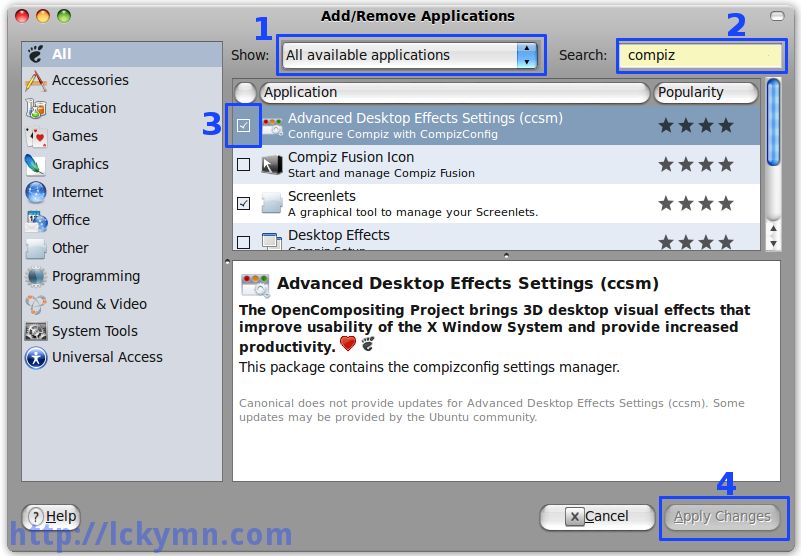
Run 'Add/Remove Applications' -> 1. Make sure it shows 'All available applications' -> 2. Search 'compiz' -> 3. Check 'Advanced Desktop Effects Settings (ccsm) -> 4. Click the 'Apply Changes' button.

Run the ‘CompizConfig Setting Manager’
-System -> Preferences -> CompizConfig Setting Manager
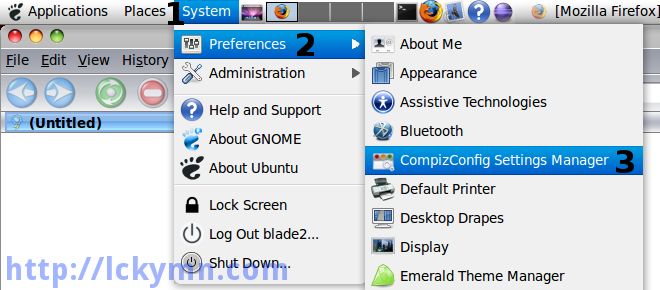
System -> Preferences -> CompizConfig Setting Manager

Now you can have whatever you want with Compiz-Fusion!
e.g.) To have the Cube, enable the ‘Desktop Cube’ and ‘Rotate Cube’
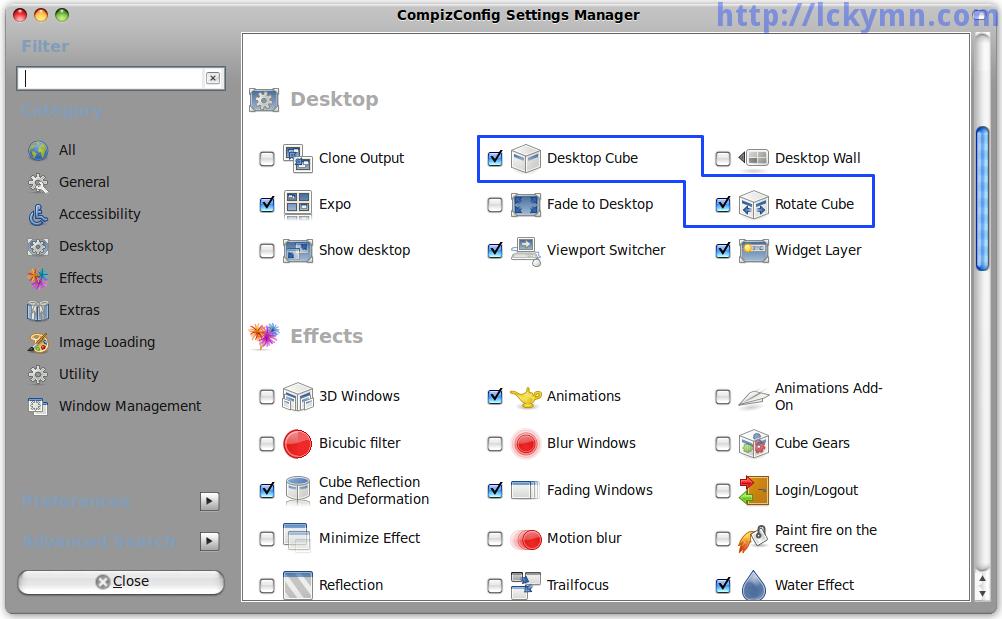
Do whatever you want!
Do whatever you want!

Spring ROO M1 Coming Soon

Today, I met and talked with a few people from SpringSource at a pub in North Sydney including Ben and Stefan (sorry Stefan. It’s just in alphabetical order ๐Ÿ™‚ ) who are developing Spring ROO.

Anyone who are interested in Spring ROO had better keep an eye on this thread as they are going to release ROO M1 soon.
http://forum.springsource.org/showthread.php?t=71985

I heard that a lot of cool plug-ins for ROO will also be available and am really looking forward to it.

Spring ROO M1 was released on the 27th of May 2009.

ROO So Cool!!! -04-

Continued from
https://old-blog.kevinlee.io/2009/05/17/roo-so-cool-03/

There are two other aspects which are Choice_Roo_Plural and Choice_Roo_ToString.

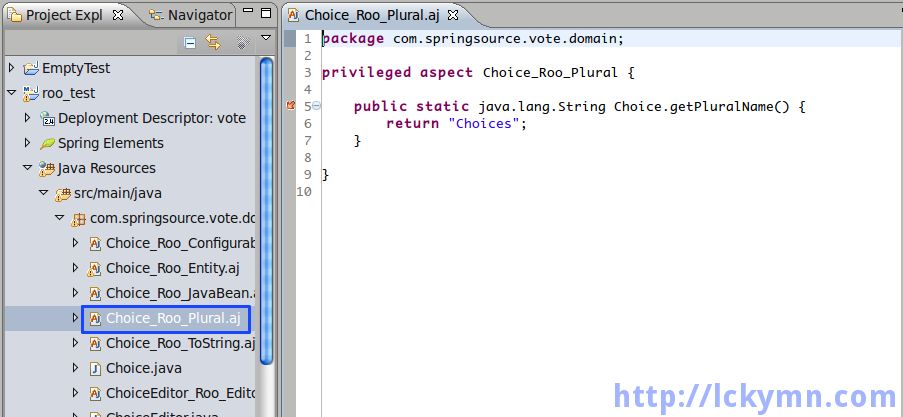
"Choice" in Plural Form, "Choices"

"Choice" in Plural Form, "Choices"


Choice_Roo_Plural declares that the Choice has a method named getPluralName() which returns a String type value, “Choices” which is the plural form of “Choice”. I don’t really get why it is necessary though. I first thought it might be the name of the table with which the Choice_Roo_Entity matches, yet the table name is choice.

Bind entity com.springsource.vote.domain.Choice on table choice

It is probably for the future use as a name of domain object in plural form may be frequently required when displaying the list of it.

Now, let’s look at the last aspect.

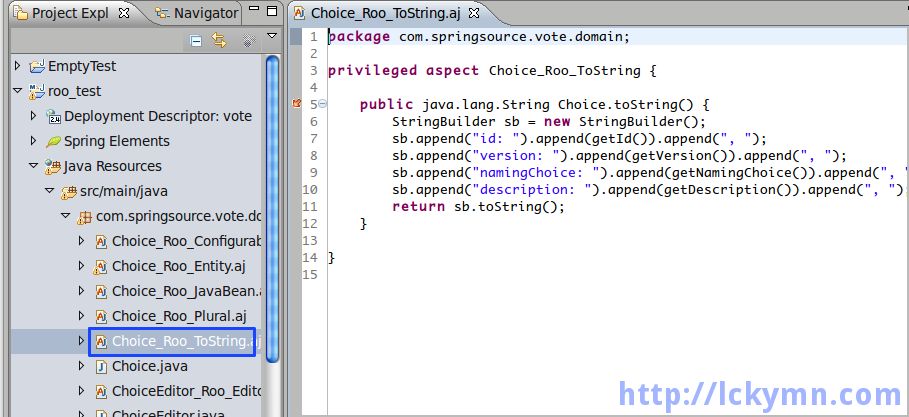
toString() method for Choice

toString() method for Choice


The last one is Choice_Roo_ToString which declare that Choice has toString() method.

privileged aspect Choice_Roo_ToString {
    
    public java.lang.String Choice.toString() {    
        StringBuilder sb = new StringBuilder();        
        sb.append("id: ").append(getId()).append(", ");        
        sb.append("version: ").append(getVersion()).append(", ");        
        sb.append("namingChoice: ").append(getNamingChoice()).append(", ");        
        sb.append("description: ").append(getDescription()).append(", ");        
        return sb.toString();        
    }    
    
}

It returns String containing the information about Choice which includes all the values of the variables from the aspects as well. This String is used to display the information about Choice object in the view, WEB-INF/jsp/vote/create.jsp.

All these mixins can be good Separation of Concerns (SoC). Each aspect has what should be a concern in a particular mixin only. For example, id and version of Choice are not really a concern of Choice itself as it does not have any meaning for Choice, yet it is very important for OR mapping. Thus it is separated from Choice and only occurs in Choice_Roo_Entity which plays the role of a persistent object.

It is not a completely new ways to write mixin using inter-type declarations in AspectJ (http://today.java.net/pub/a/today/2005/12/15/writing-mixins-with-aop.html). Nevertheless, Spring ROO is still so cool as I have never seen any automatically generated code by Java frameworks uses mixins written using inter-type declarations as a nice way of SoC. I may need to call ROO RSoC (Real Separation of Concerns). ๐Ÿ™‚

OK, I am now running out of time so had better finish this post quickly.

I would just finally like to point out some minor issues I found.

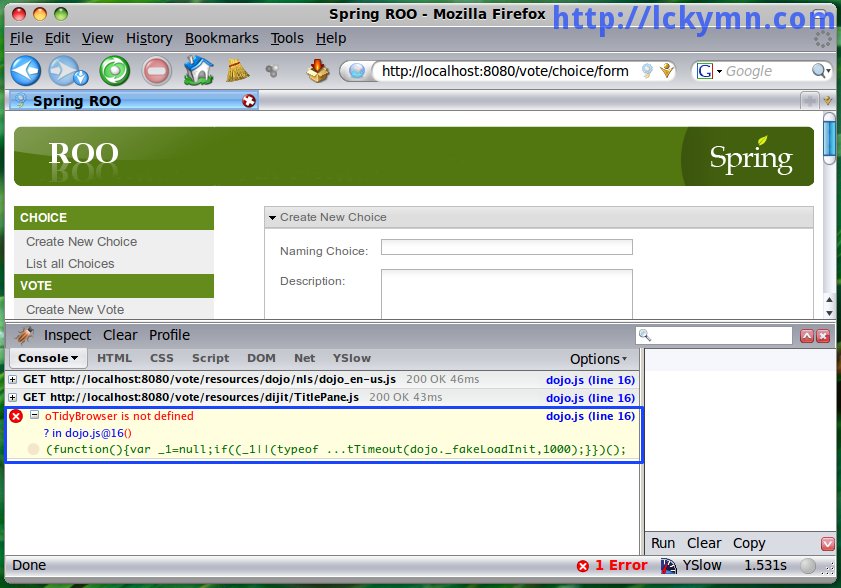
1. An error in dojo JS toolkit.

dojo JS Toolkit Error

dojo JS Toolkit Error

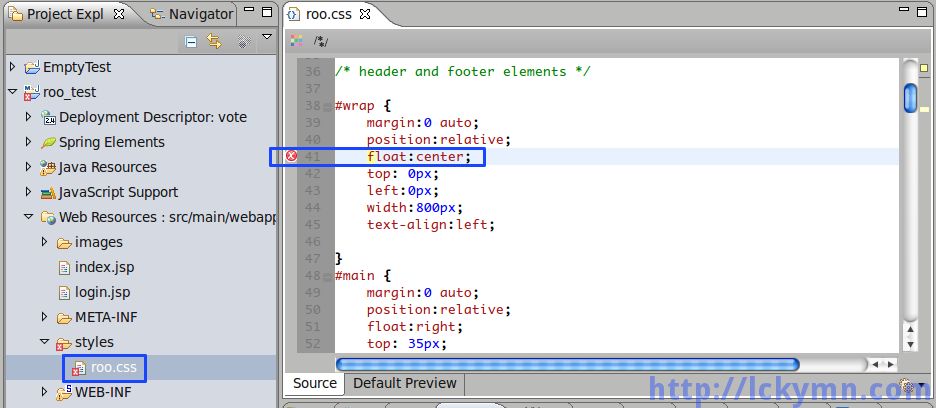
2. An error in roo.css file.

CSS Error

CSS Error

#wrap {
	margin:0 auto;
  	position:relative;
  	float:center;  	
  	top: 0px;
  	left:0px;
  	width:800px;
  	text-align:left;  	

}

center is not a float value.

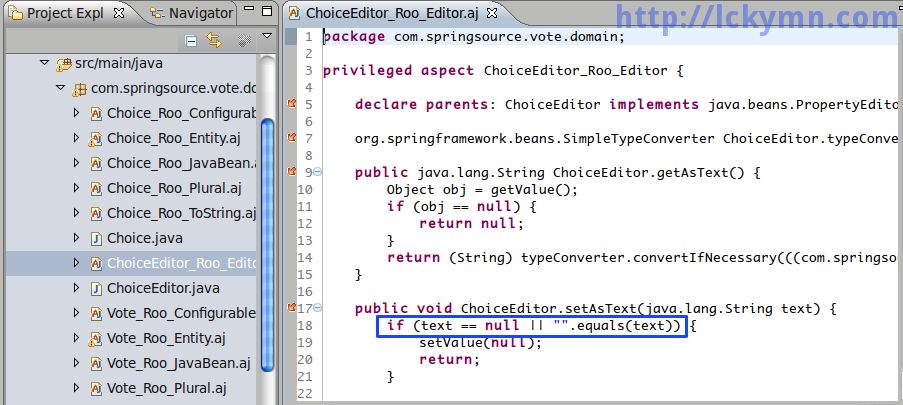
3. Using a String’s equals() method to test for an empty String. This might be OK for a small application like the ROO example but it can bring about some performance issue for a big application with numerous simultaneous user requests.

Performance Issue - Test for Empty String

Performance Issue - Test for Empty String


So the following code from ChoiceEditor_Roo_Editor

if (text == null || "".equals(text))

had better be

if (text == null || 0 == text.length())

I wrote more details about it here with performance tests.
https://old-blog.kevinlee.io/2009/05/17/test-for-empty-string/

Finally, it’s my wish. I found that aspect code is not really supported by the Eclipse functions for Java such as Call Hierarchy and Open Declaration. It would be much better if aspects are fully supported by the Eclipse functions for Java. However, it may have something to do with AJDT not Spring ROO integration.

Phew, I have eventually written this. ๐Ÿ˜€ Even though I tried ROO approximately two weeks ago, I did not have time to write about it.

« Older posts Newer posts »

© 2026 Kevin's Blog

Theme by Anders Noren — Up ↑